

ElasticSearch-IK分词器(elasticsearch插件)安装配置和ElasticSearch的Rest命令测试
四、IK分词器(elasticsearch插件)
IK分词器:中文分词器
分词:即把一段中文或者别的划分成一个个的关键字,我们在搜索时候会把自己的信息进行分词,会把数据库中或者索引库中的数据进行分词,然后进行一一个匹配操作,默认的中文分词是将每个字看成一个词(不使用用IK分词器的情况下),比如“我爱狂神”会被分为”我”,”爱”,”狂”,”神” ,这显然是不符合要求的,所以我们需要安装中文分词器ik来解决这个问题。
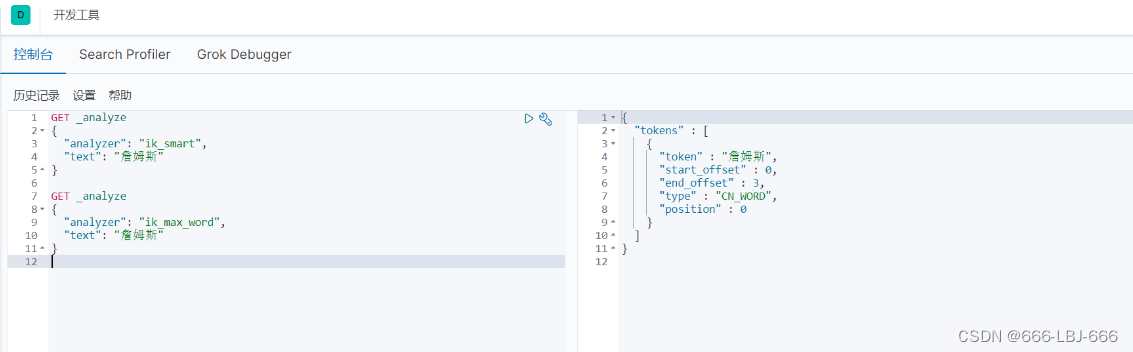
IK提供了两个分词算法: ik_smart和ik_max_word ,其中ik_smart为最少切分, ik_max_word为最细粒度划分!
1、下载
版本要与ElasticSearch版本对应
下载地址:https://github.com/medcl/elasticsearch-analysis-ik/releases
2、安装
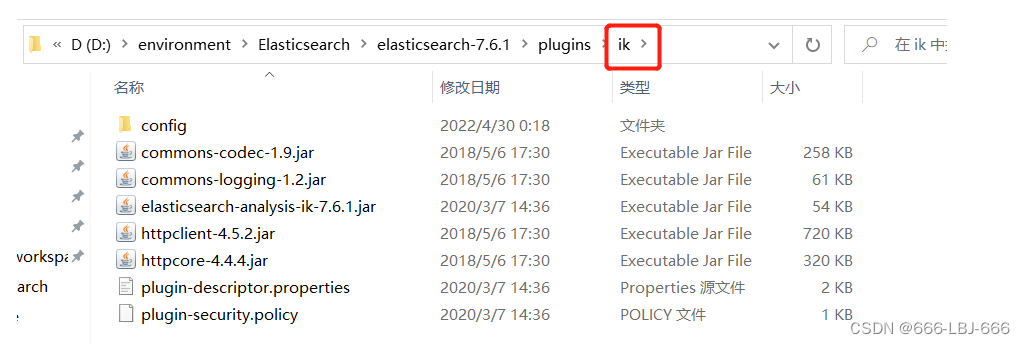
ik文件夹是自己创建的
加压即可(但是我们需要解压到ElasticSearch的plugins目录ik文件夹下)
3、重启ElasticSearch
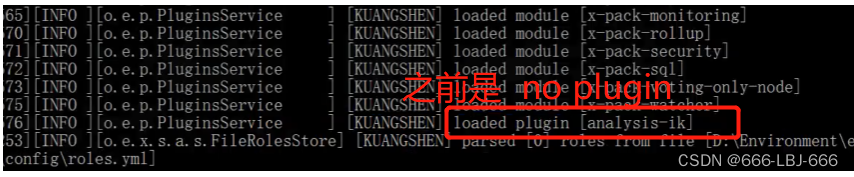
加载了IK分词器

4、使用 ElasticSearch安装补录/bin/elasticsearch-plugin 可以查看插件
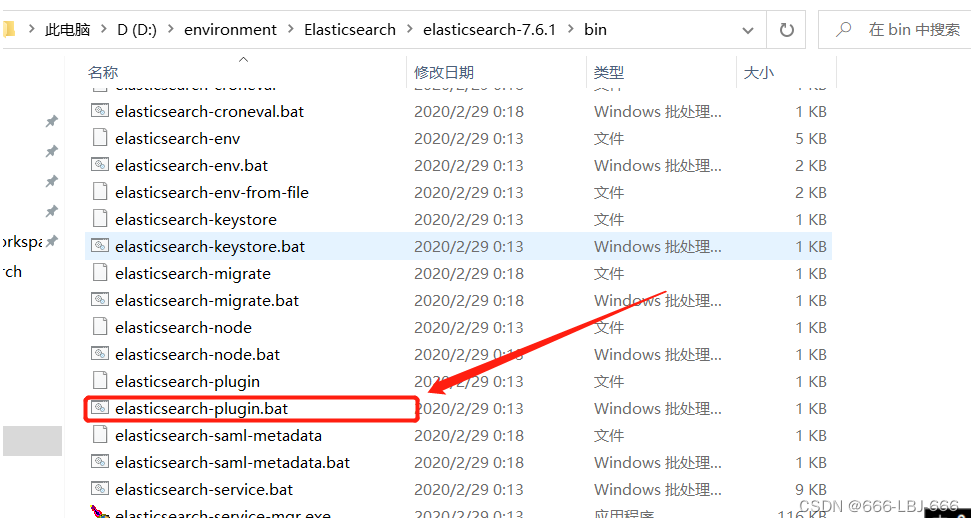
elasticsearch-plugin list 
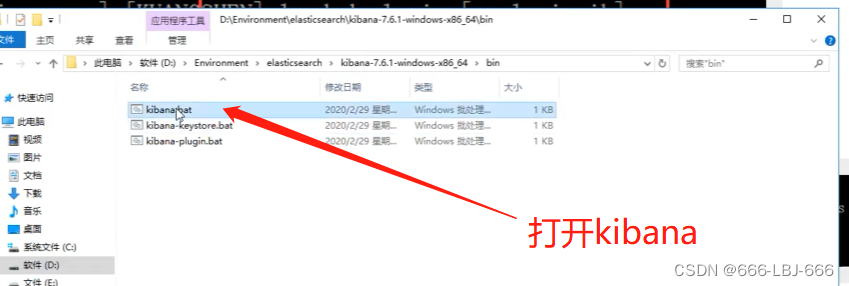
5、使用kibana测试
ik_smart:最少切分
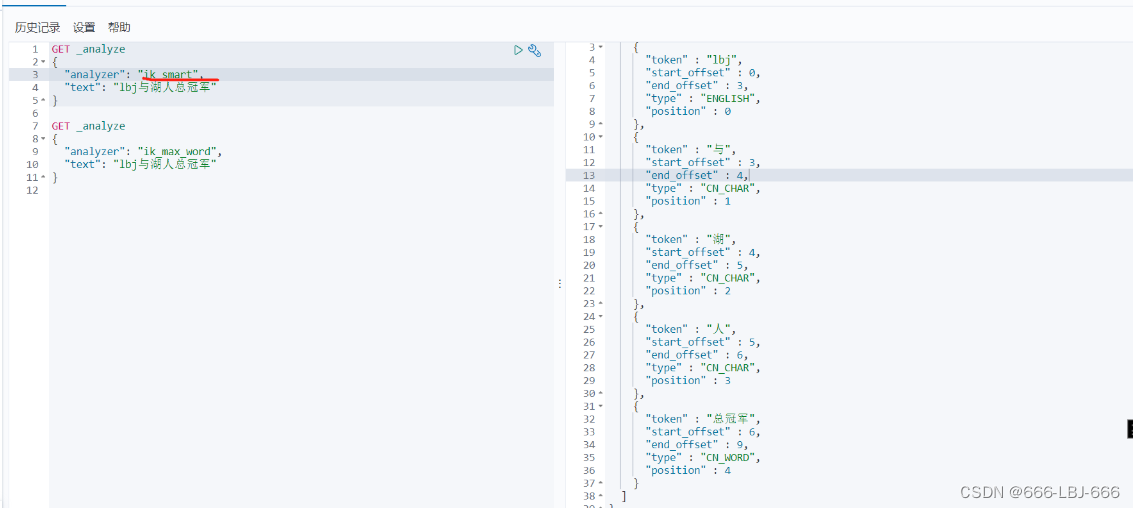
ik_max_word:最细粒度划分(穷尽词库的可能)

从上面看,感觉分词都比较正常,但是大多数,分词都满足不了我们的想法,如下例

那么,我们需要手动将该词添加到分词器的词典当中
6、添加自定义的词添加到扩展字典中
elasticsearch目录/plugins/ik/config/IKAnalyzer.cfg.xml
打开 IKAnalyzer.cfg.xml 文件,扩展字典
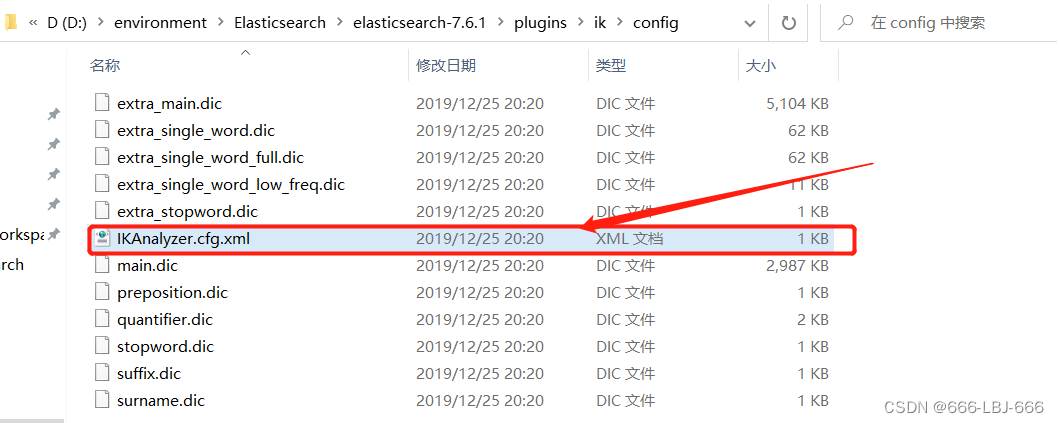
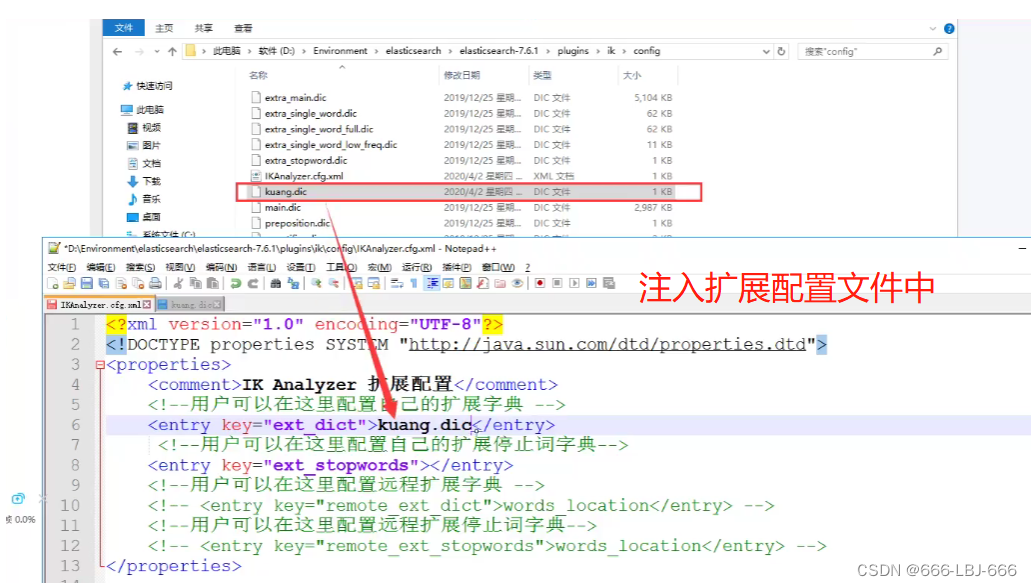

创建字典文件,添加字典内容
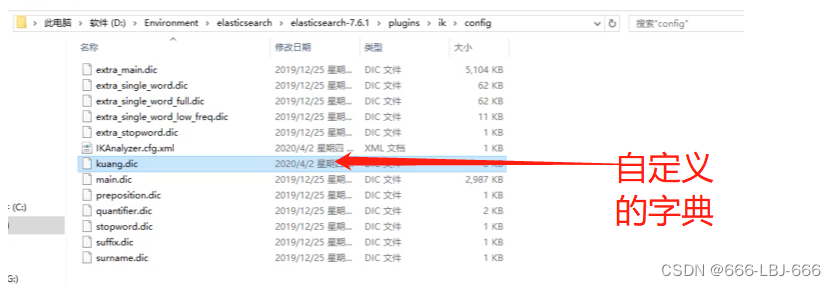

重启ElasticSearch,再次使用kibana测试

分词器生效

五、Rest风格说明
一种软件架构风格,而不是标准,只是提供了一组设计原则和约束条件。它主要用于客户端和服务器交互类的软件。基于这个风格设计的软件可以更简洁,更有层次,更易于实现缓存等机制。
1、基本Rest命令说明:
| method | url地址 | 描述 |
|---|---|---|
| PUT(创建,修改) | localhost:9200/索引名称/类型名称/文档id | 创建文档(指定文档id) |
| POST(创建) | localhost:9200/索引名称/类型名称 | 创建文档(随机文档id) |
| POST(修改) | localhost:9200/索引名称/类型名称/文档id/_update | 修改文档 |
| DELETE(删除) | localhost:9200/索引名称/类型名称/文档id | 删除文档 |
| GET(查询) | localhost:9200/索引名称/类型名称/文档id | 查询文档通过文档ID |
| POST(查询) | localhost:9200/索引名称/类型名称/文档id/_search | 查询所有数据 |
2、测试
1)创建一个索引,添加
PUT /test1/type1/1 { "name" : "LBJ", "age" : 23 } 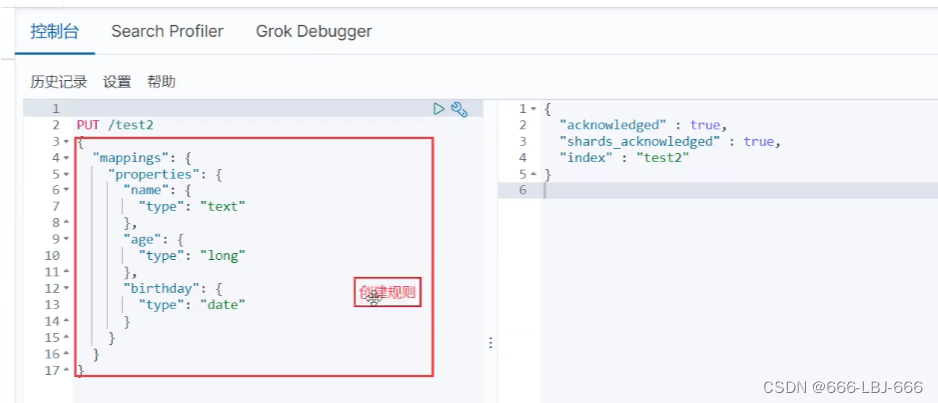
2)字段数据类型
- 字符串类型
- text、keyword
- text:支持分词,全文检索,支持模糊、精确查询,不支持聚合,排序操作;text类型的最大支持的字符长度无限制,适合大字段存储;
- keyword:不进行分词,直接索引、支持模糊、支持精确匹配,支持聚合、排序操作。keyword类型的最大支持的长度为——32766个UTF-8类型的字符,可以通过设置ignore_above指定自持字符长度,超过给定长度后的数据将不被索引,无法通过term精确匹配检索返回结果。
- text、keyword
- 数值型
- long、Integer、short、byte、double、float、half float、scaled float
- 日期类型
- date
- te布尔类型
- boolean
- 二进制类型
- binary
- 等等…
3)指定字段的类型(使用PUT)
类似于建库(建立索引和字段对应类型),也可看做规则的建立
PUT /test2 { "mappings": { "properties": { "name": { "type": "text" }, "age":{ "type": "long" }, "birthday":{ "type": "date" } } } } 
4)获取3建立的规则
GET test2 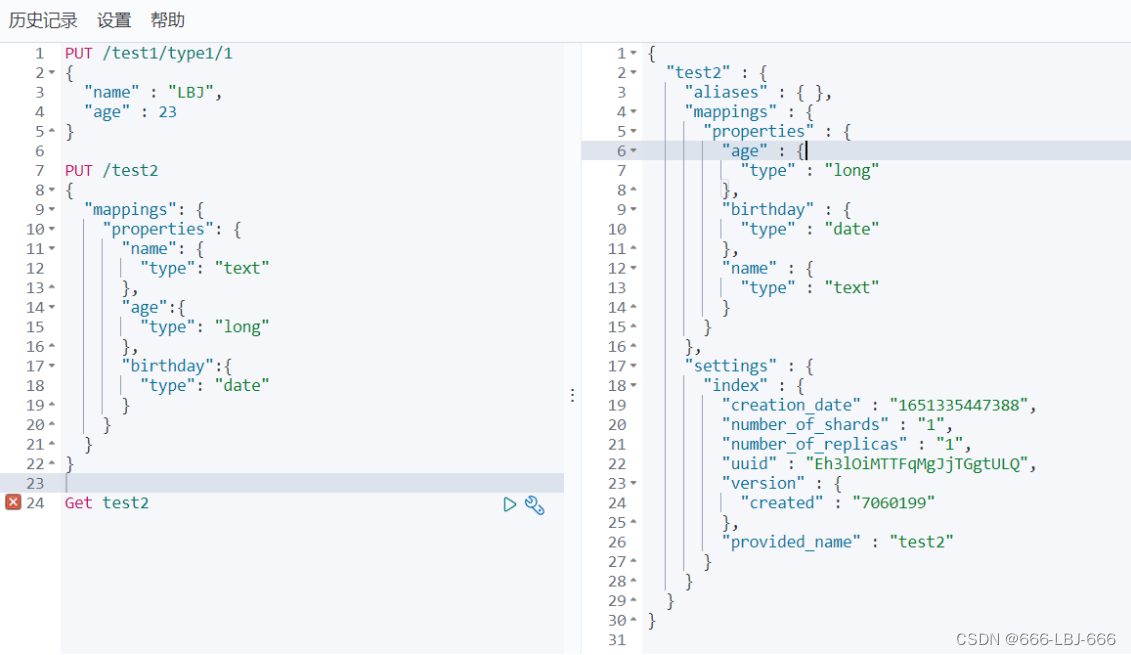
5)获取默认信息
_doc 默认类型(default type),type 在未来的版本中会逐渐弃用,因此产生一个默认类型进行代替
PUT /test3/_doc/1 { "name": "流柚", "age": 18, "birth": "1999-10-10" } GET test3 
如果自己的文档字段没有被指定,那么ElasticSearch就会给我们默认配置字段类型
扩展:通过get _cat/ 可以获取ElasticSearch的当前的很多信息!
GET _cat/indices GET _cat/aliases GET _cat/allocation GET _cat/count GET _cat/fielddata GET _cat/health GET _cat/indices GET _cat/master GET _cat/nodeattrs GET _cat/nodes GET _cat/pending_tasks GET _cat/plugins GET _cat/recovery GET _cat/repositories GET _cat/segments GET _cat/shards GET _cat/snapshots GET _cat/tasks GET _cat/templates GET _cat/thread_pool 6)修改
两种方案
①旧的(使用put覆盖原来的值)
- 版本+1(_version)
- 但是如果漏掉某个字段没有写,那么更新是没有写的字段 ,会消失
PUT /test3/_doc/1 { "name" : "流柚是我的大哥", "age" : 18, "birth" : "1999-10-10" } GET /test3/_doc/1 // 修改会有字段丢失 PUT /test3/_doc/1 { "name" : "流柚" } GET /test3/_doc/1 
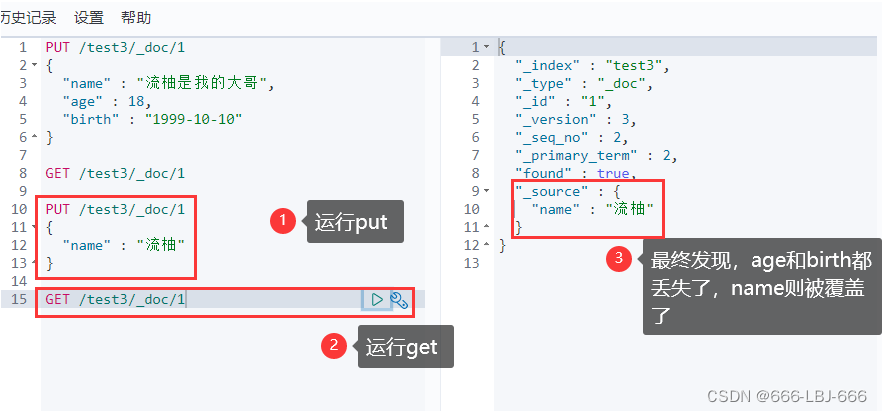
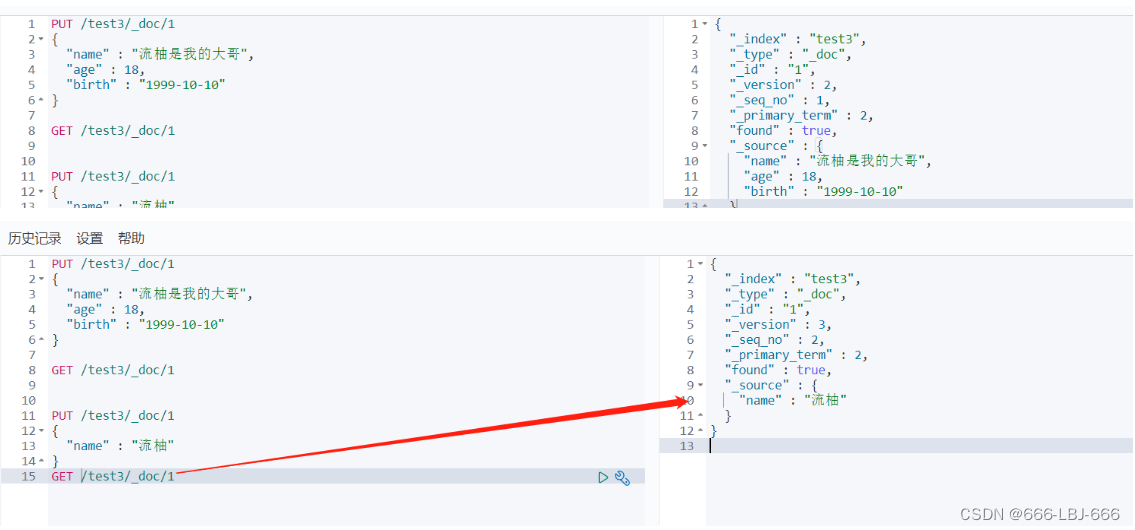
②新的(使用post的update)
- version不会改变
- 需要注意doc
- 不会丢失字段
POST /test3/_doc/1/_update { "doc":{ "name" : "post修改,version不会加一", "age" : 2 } } GET /test3/_doc/1 

7)删除
GET /test1 DELETE /test1 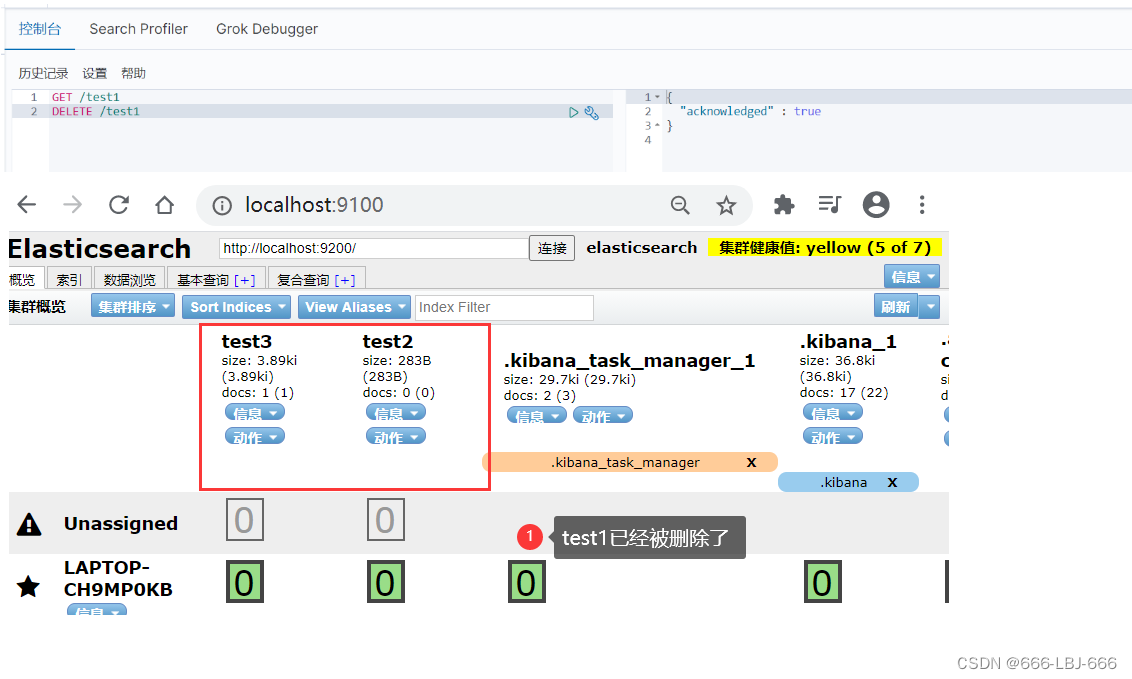
8)查询(简单条件)
GET /test3/_doc/_search?q=name:流柚 
9)复杂查询
test3索引中的内容

①查询匹配
match:匹配(会使用分词器解析(先分析文档,然后进行查询))_source:过滤字段sort:排序form、size分页
// 查询匹配 GET /blog/user/_search { "query":{ "match":{ "name":"流" } } , "_source": ["name","desc"] , "sort": [ { "age": { "order": "asc" } } ] , "from": 0 , "size": 1 } 


②多条件查询(bool)
must相当于andshould相当于ormust_not相当于not (... and ...)filter过滤
/// bool 多条件查询 must <==> and should <==> or must_not <==> not (... and ...) filter数据过滤 boost minimum_should_match GET /blog/user/_search { "query":{ "bool": { "must": [ { "match":{ "age":3 } }, { "match": { "name": "流" } } ], "filter": { "range": { "age": { "gte": 1, "lte": 3 } } } } } } 
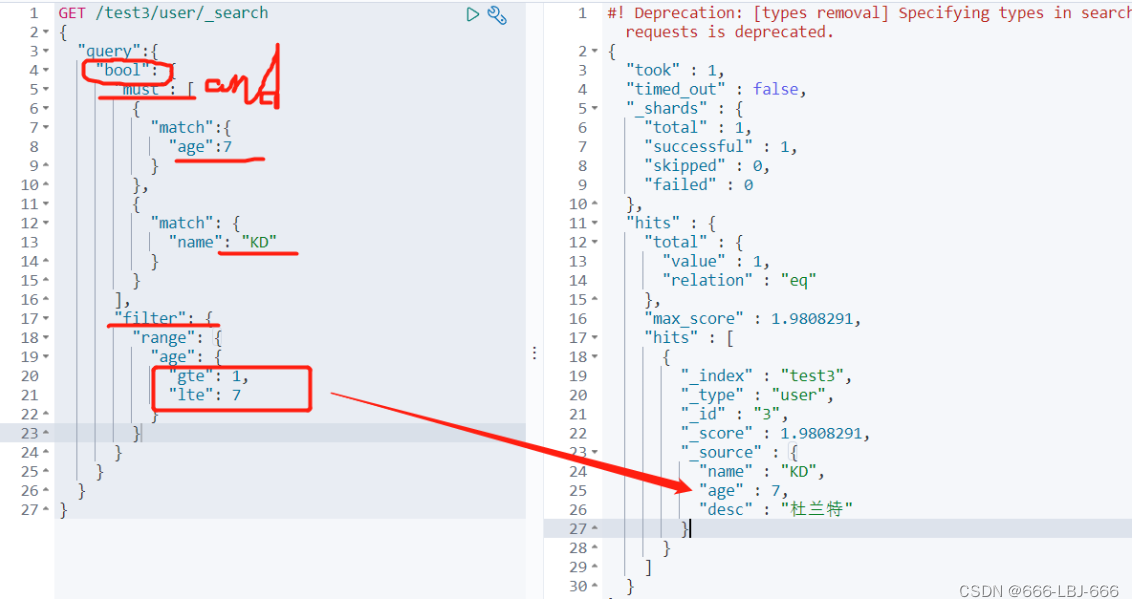
③匹配数组
- 貌似不能与其它字段一起使用
- 可以多关键字查(空格隔开)— 匹配字段也是符合的
match会使用分词器解析(先分析文档,然后进行查询)- 搜词
// 匹配数组 貌似不能与其它字段一起使用 // 可以多关键字查(空格隔开) // match 会使用分词器解析(先分析文档,然后进行查询) GET /test3/user/_search { "query":{ "match":{ "desc":"詹 库 杜" } } } 


④精确查询
term直接通过 倒排索引 指定词条查询- 适合查询 number、date、keyword ,不适合text
// 精确查询(必须全部都有,而且不可分,即按一个完整的词查询) // term 直接通过 倒排索引 指定的词条 进行精确查找的 GET /blog/user/_search { "query":{ "term":{ "desc":"年 " } } } 
有空格
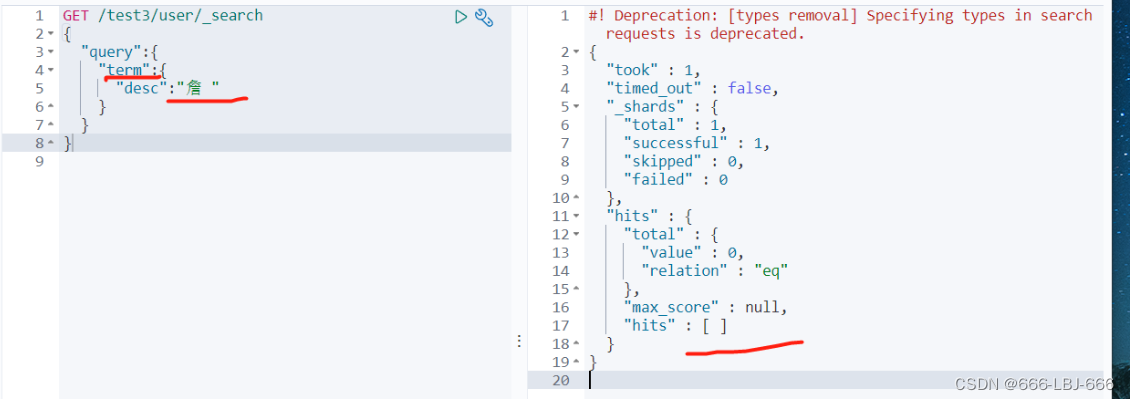
没有空格

⑤text和keyword
- text:
- 支持分词,全文检索、支持模糊、精确查询,不支持聚合,排序操作;
- text类型的最大支持的字符长度无限制,适合大字段存储;
- keyword:
- 不进行分词,直接索引、支持模糊、支持精确匹配,支持聚合、排序操作。
- keyword类型的最大支持的长度为——32766个UTF-8类型的字符,可以通过设置ignore_above指定自持字符长度,超过给定长度后的数据将不被索引,无法通过term精确匹配检索返回结果。
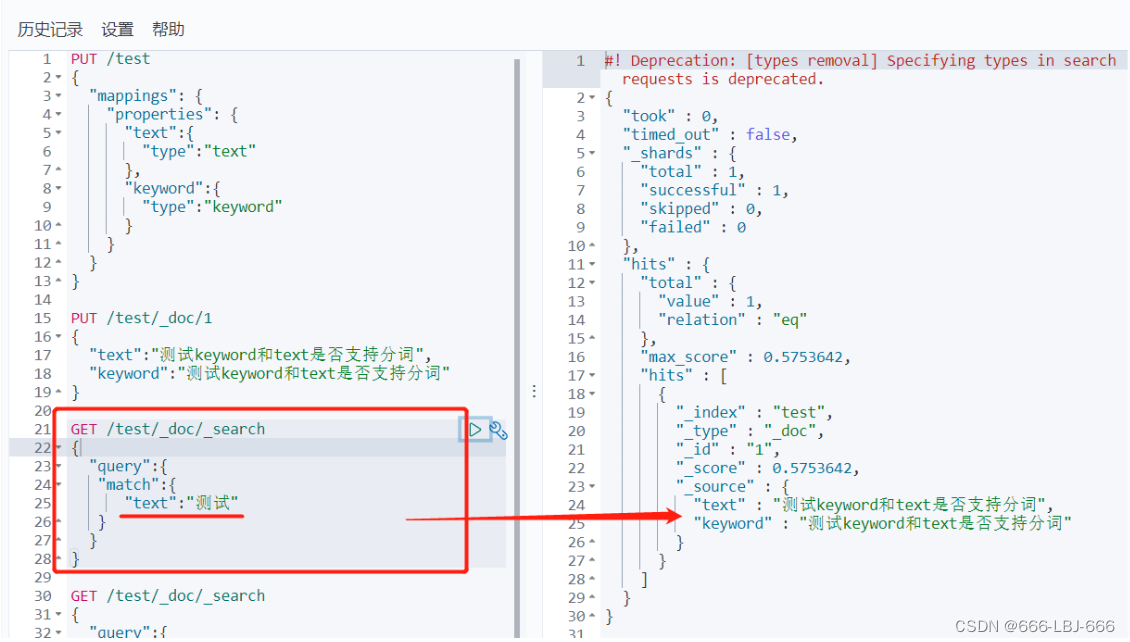
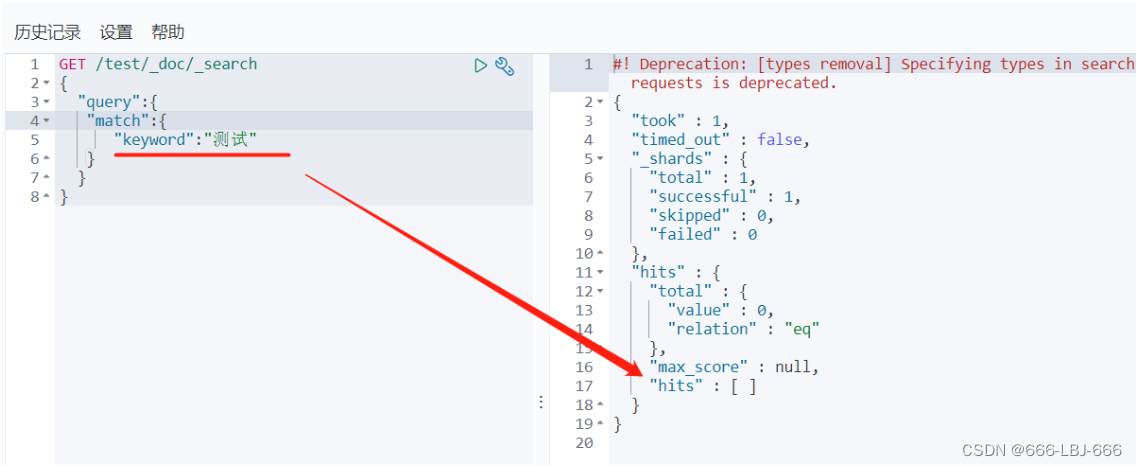
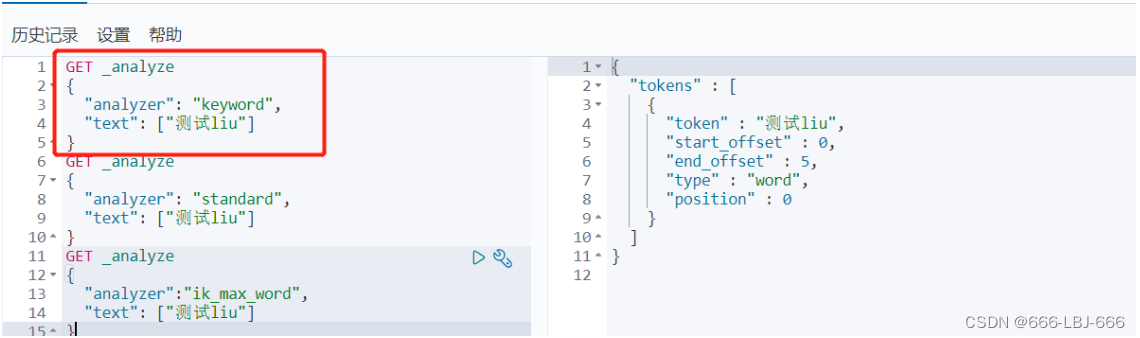
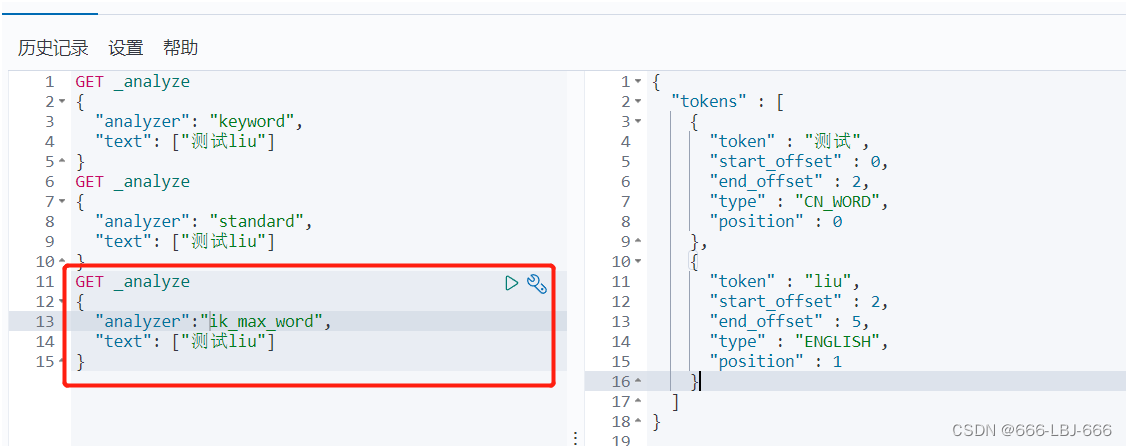
// 测试keyword和text是否支持分词 // 设置索引类型 PUT /test { "mappings": { "properties": { "text":{ "type":"text" }, "keyword":{ "type":"keyword" } } } } // 设置字段数据 PUT /test/_doc/1 { "text":"测试keyword和text是否支持分词", "keyword":"测试keyword和text是否支持分词" } // text 支持分词 // keyword 不支持分词 GET /test/_doc/_search { "query":{ "match":{ "text":"测试" } } }// 查的到 GET /test/_doc/_search { "query":{ "match":{ "keyword":"测试" } } }// 查不到,必须是 "测试keyword和text是否支持分词" 才能查到 GET _analyze { "analyzer": "keyword", "text": ["测试liu"] }// 不会分词,即 测试liu GET _analyze { "analyzer": "standard", "text": ["测试liu"] }// 分为 测 试 liu GET _analyze { "analyzer":"ik_max_word", "text": ["测试liu"] }// 分为 测试 liu 
text支持分词
keyword不支持分词
完整


⑥高亮查询
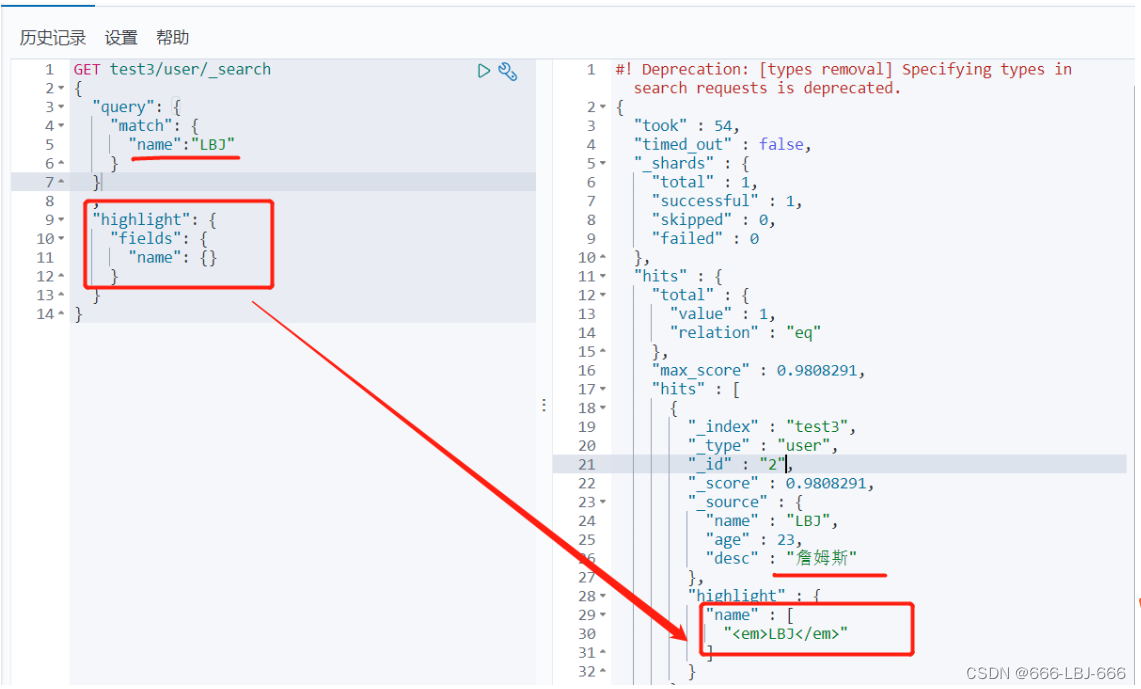
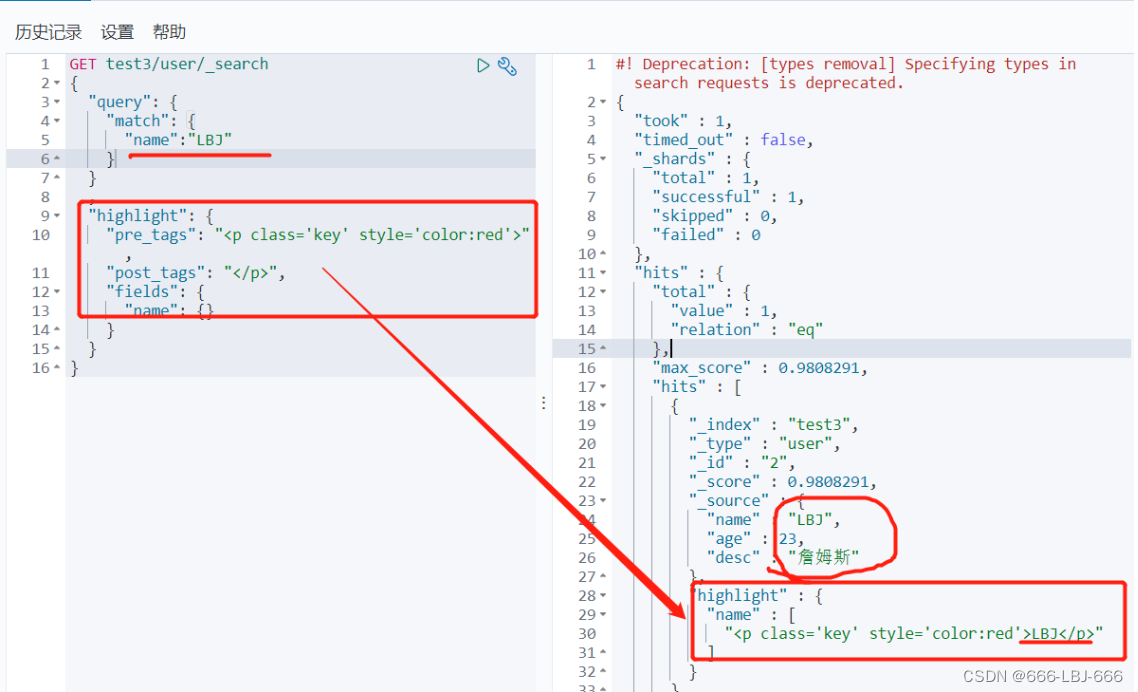
/// 高亮查询 GET blog/user/_search { "query": { "match": { "name":"流" } } , "highlight": { "fields": { "name": {} } } } // 自定义前缀和后缀 GET blog/user/_search { "query": { "match": { "name":"流" } } , "highlight": { "pre_tags": "", "post_tags": "
", "fields": { "name": {} } } } 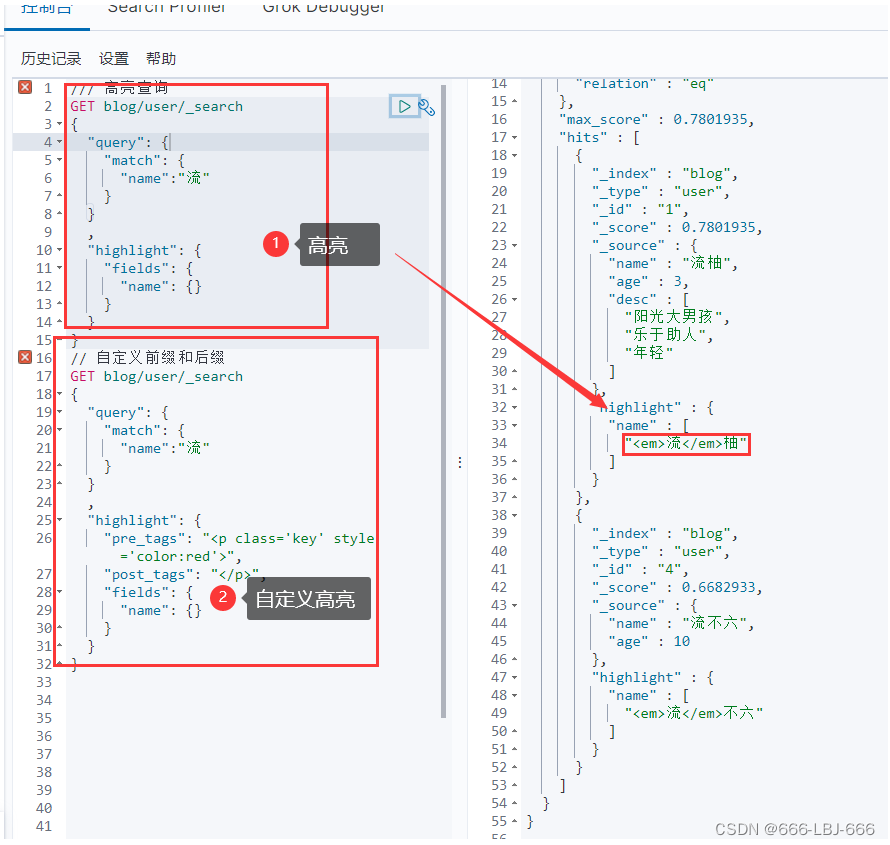
高亮
自定义高亮
ElasticSearch-IK分词器(elasticsearch插件)安装配置和ElasticSearch的Rest命令测试 到此完结,笔者归纳、创作不易,大佬们给个3连再起飞吧