

WinForm中使用Bitmap元素处理图像
创始人
2024-11-11 22:34:30
前言
这个Bitmap元素在我们处理图像显示相关时,它的身影就可以见到了。官方术语:封装 GDI+ 位图,此位图由图形图像及其属性的像素数据组成。 Bitmap 是用于处理由像素数据定义的图像的对象。操作对象最重要的两个方法GetPixel和SetPixel。
一、效果
1、光环效果
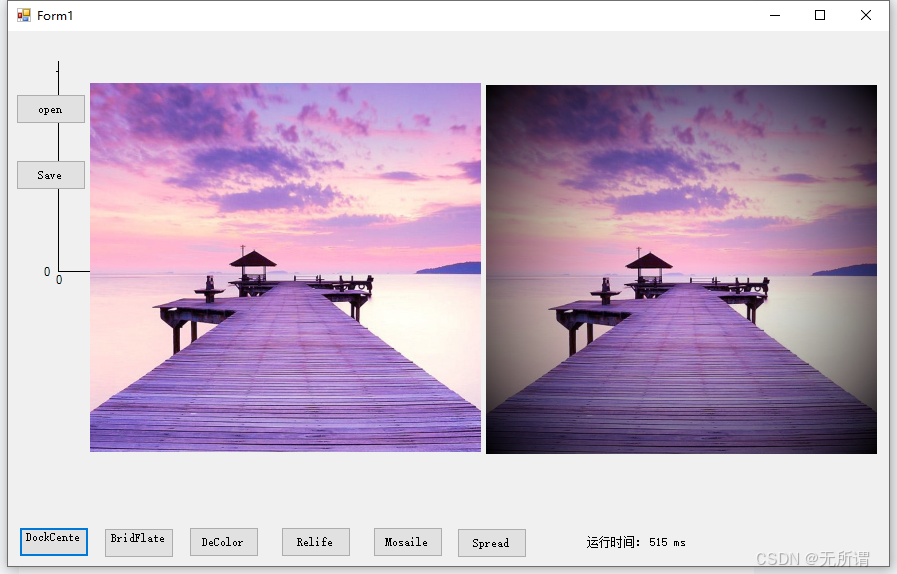
2、亮度调节

3、彩色转黑白
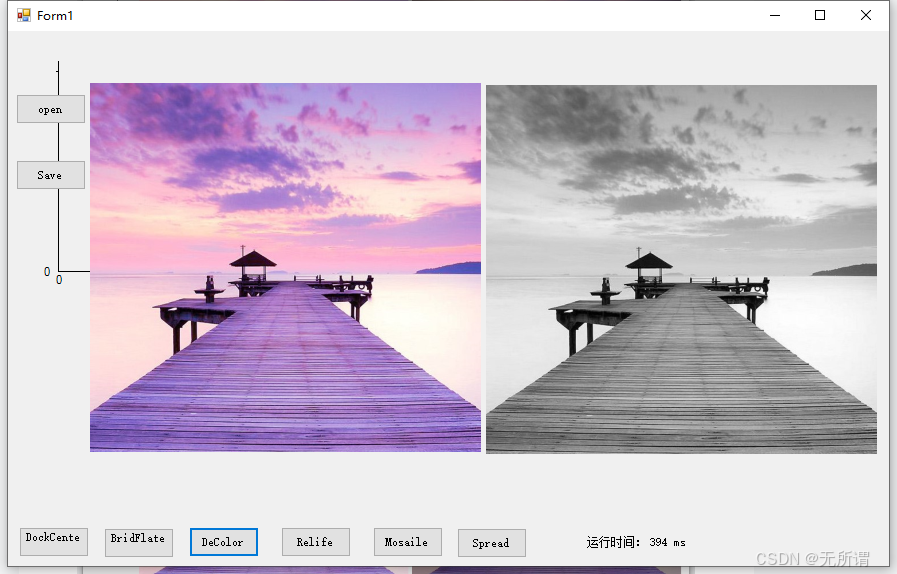
4、色温反转

5、马赛克
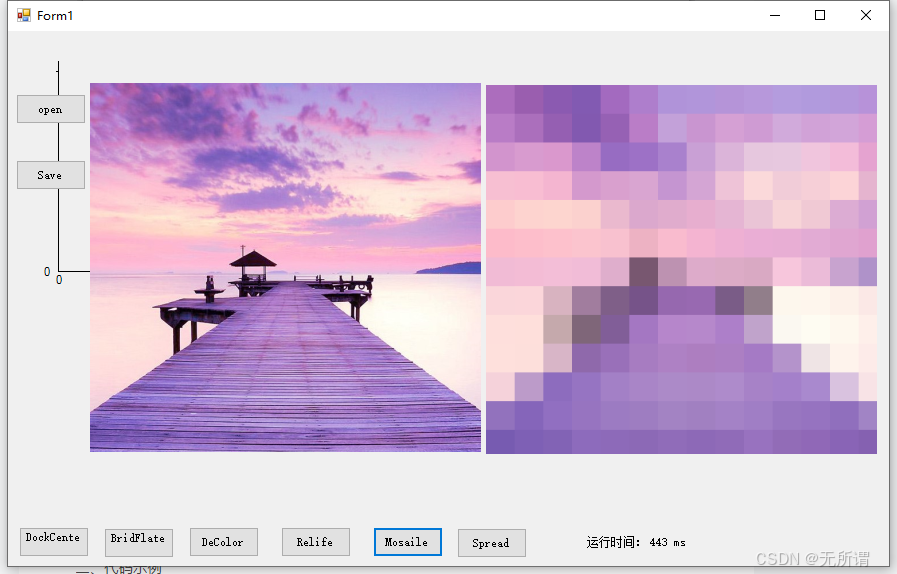
6、扩散效果
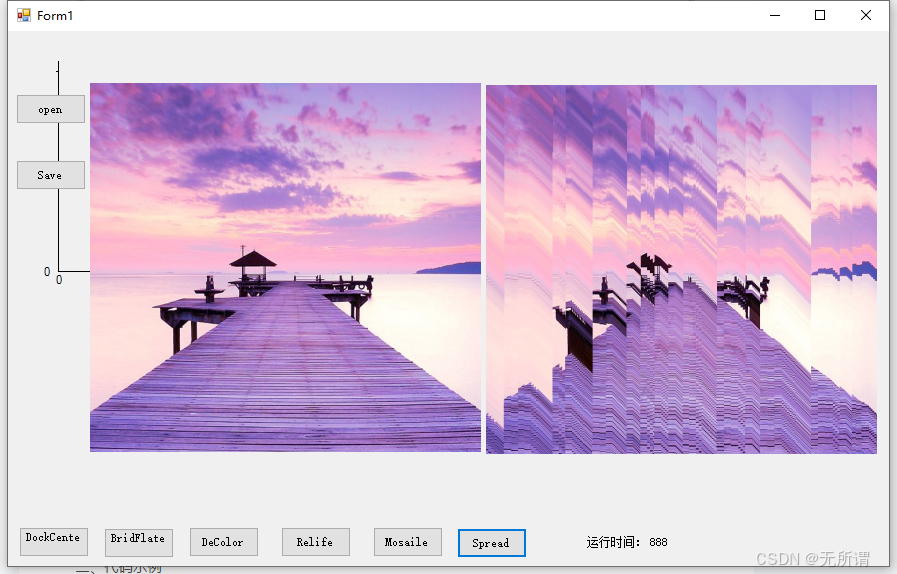
二、代码示例
1、光环效果
if (bitmap != null) { newbitmap = bitmap.Clone() as Bitmap; stopwatch.Restart(); int width = newbitmap.Width; int height = newbitmap.Height; float cx = width / 2; float cy = height / 2; float maxDist = cx * cx + cy * cy; float currDist = 0, factor; Color pixel; for (int i = 0; i < width; i++) { for (int j = 0; j < height; j++) { currDist = ((float)i - cx) * ((float)i - cx) + ((float)j - cy) * ((float)j - cy); factor = currDist / maxDist; pixel = newbitmap.GetPixel(i, j); int red = (int)(pixel.R * (1 - factor)); int green = (int)(pixel.G * (1 - factor)); int blue = (int)(pixel.B * (1 - factor)); newbitmap.SetPixel(i, j, Color.FromArgb(red, green, blue)); } } stopwatch.Stop(); lbTimer.Text = stopwatch.ElapsedMilliseconds.ToString() + " ms"; pictureBox2.Image = newbitmap.Clone() as Image; }2、亮度调节
if (bitmap != null) { newbitmap = bitmap.Clone() as Bitmap; stopwatch.Reset(); stopwatch.Restart(); Color pixel; int red, green, blue; for (int x = 0; x < newbitmap.Width; x++) { for (int y = 0; y < newbitmap.Height; y++) { pixel = newbitmap.GetPixel(x, y); red = (int)(pixel.R * 0.6); green = (int)(pixel.G * 0.6); blue = (int)(pixel.B * 0.6); newbitmap.SetPixel(x, y, Color.FromArgb(red, green, blue)); } } stopwatch.Stop(); lbTimer.Text = stopwatch.ElapsedMilliseconds.ToString() + " ms"; pictureBox2.Image = newbitmap.Clone() as Image; }3、彩色转黑白
if (bitmap != null) { newbitmap = bitmap.Clone() as Bitmap; stopwatch.Reset(); stopwatch.Restart(); Color pixel; int gray; for (int x = 0; x < newbitmap.Width; x++) { for (int y = 0; y < newbitmap.Height; y++) { pixel = newbitmap.GetPixel(x, y); gray = (int)(0.3 * pixel.R + 0.59 * pixel.G + 0.11 * pixel.B); newbitmap.SetPixel(x, y, Color.FromArgb(gray, gray, gray)); } } stopwatch.Stop(); lbTimer.Text = stopwatch.ElapsedMilliseconds.ToString() + " ms"; pictureBox2.Image = newbitmap.Clone() as Image; }4、色温反转
if (bitmap != null) { newbitmap = bitmap.Clone() as Bitmap; stopwatch.Restart(); Color pixel; int red, green, blue; for (int x = 0; x < newbitmap.Width; x++) { for (int y = 0; y < newbitmap.Height; y++) { pixel = newbitmap.GetPixel(x, y); red = (int)(255 - pixel.R); green = (int)(255 - pixel.G); blue = (int)(255 - pixel.B); newbitmap.SetPixel(x, y, Color.FromArgb(red, green, blue)); } } stopwatch.Stop(); lbTimer.Text = stopwatch.ElapsedMilliseconds.ToString() + " ms"; pictureBox2.Image = newbitmap.Clone() as Image; }5、马赛克
if (bitmap != null) { newbitmap = bitmap.Clone() as Bitmap; stopwatch.Reset(); stopwatch.Restart(); int RIDIO = 50;//马赛克的尺度,默认为周围两个像素 for (int h = 0; h < newbitmap.Height; h += RIDIO) { for (int w = 0; w < newbitmap.Width; w += RIDIO) { int avgRed = 0, avgGreen = 0, avgBlue = 0; int count = 0; //取周围的像素 for (int x = w; (x < w + RIDIO && x < newbitmap.Width); x++) { for (int y = h; (y < h + RIDIO && y < newbitmap.Height); y++) { Color pixel = newbitmap.GetPixel(x, y); avgRed += pixel.R; avgGreen += pixel.G; avgBlue += pixel.B; count++; } } //取平均值 avgRed = avgRed / count; avgBlue = avgBlue / count; avgGreen = avgGreen / count; //设置颜色 for (int x = w; (x < w + RIDIO && x < newbitmap.Width); x++) { for (int y = h; (y < h + RIDIO && y < newbitmap.Height); y++) { Color newColor = Color.FromArgb(avgRed, avgGreen, avgBlue); newbitmap.SetPixel(x, y, newColor); } } } } stopwatch.Stop(); lbTimer.Text = stopwatch.ElapsedMilliseconds.ToString() + " ms"; pictureBox2.Image = newbitmap.Clone() as Image; }6、扩散效果
if (bitmap != null) { newbitmap = bitmap.Clone() as Bitmap; stopwatch.Reset(); stopwatch.Restart(); Color pixel; int red, green, blue; int flag = 0; for (int x = 0; x < newbitmap.Width; x++) { for (int y = 0; y < newbitmap.Height; y++) { Random ran = new Random(); int RankKey = ran.Next(-5, 5); if (x + RankKey >= newbitmap.Width || y + RankKey >= newbitmap.Height || x + RankKey < 0 || y + RankKey < 0) { flag = 1; continue; } pixel = newbitmap.GetPixel(x + RankKey, y + RankKey); red = (int)(pixel.R); green = (int)(pixel.G); blue = (int)(pixel.B); newbitmap.SetPixel(x, y, Color.FromArgb(red, green, blue)); } } stopwatch.Stop(); lbTimer.Text = stopwatch.ElapsedMilliseconds.ToString(); pictureBox2.Image = newbitmap.Clone() as Image; }相关内容
热门资讯
裸辞做“一人公司”,我后悔了
去年这个时候,一位以色列程序员正在东南亚旅行。他顺手把一个在脑子里转了很久的想法做成了产品,一个让任...
南京建成国内首个Pre-6G试...
4月21日,2026全球6G技术与产业生态大会在南京开幕。全息互动技术展台前,一名远在北京的工作人员...
超梵求职受邀参加“2025抖音...
超梵求职受邀参加“2025抖音巨量引擎成人教育行业生态大会”,探讨分享优质内容传播,服务万千学员。 ...
摩托罗拉Razr 2026(R...
IT之家 4 月 22 日消息,摩托罗拉宣布新一代 Razr 折叠手机将于 4 月 29 日在美国发...
库克卸任,特纳斯领航:苹果新纪...
苹果首席执行官蒂姆·库克将卸任,硬件工程主管约翰·特纳斯将接任,苹果公司今天宣布此事。 库克将在夏季...