

llamaindex+Internlm2 RAG实践
创始人
2024-11-12 05:38:58
一、Llama-Index
1.1 Llama-Index简介
LlamaIndex 是一个基于 LLM 的应用程序的数据框架,受益于上下文增强。 这种 LLM 系统被称为 RAG 系统,代表 “检索增强生成”。
检索增强生成(RAG)是一种创新的方法,它将搜索系统的检索能力与 LLM 相结合,以达到精准查询的效果。
LlamaIndex 提供了必要的抽象,可以更轻松地摄取、构建和访问私有或特定领域的数据,以便将这些数据安全可靠地注入 LLM 中,以实现更准确的文本生成。
1.2 环境安装
pip install llama-index==0.10.38 llama-index-llms-huggingface==0.2.0 "transformers[torch]==4.41.1" "huggingface_hub[inference]==0.23.1" huggingface_hub==0.23.1 sentence-transformers==2.7.0 sentencepiece==0.2.0安装 LlamaIndex 词嵌入向量依赖
pip install llama-index-embeddings-huggingface llama-index-embeddings-instructor二、LlamIndex结合InternLM2的RAG实践
2.1 使用InternLM2回答专业领域问题
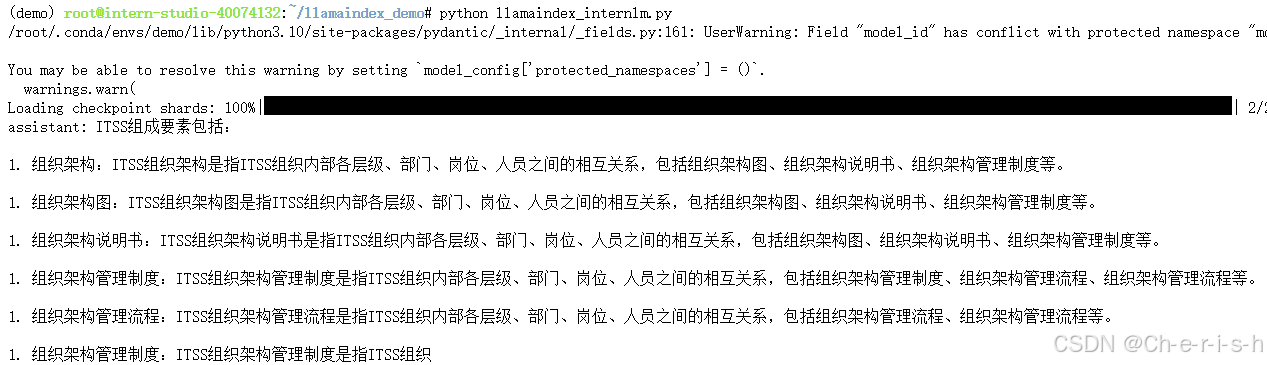
未加载知识库之前询问ITSS组成要素包括哪些内容:
from llama_index.llms.huggingface import HuggingFaceLLM from llama_index.core.llms import ChatMessage llm = HuggingFaceLLM( model_name="/root/model/internlm2-chat-1_8b", tokenizer_name="/root/model/internlm2-chat-1_8b", model_kwargs={"trust_remote_code":True}, tokenizer_kwargs={"trust_remote_code":True}, ) rsp = llm.chat(messages=[ChatMessage(content="ITSS组成要素有哪些?")]) print(rsp)得到的结果不太好:
2.2 使用RAG外接知识库回答专业领域问题
上传ITSS.pdf,并加载到向量数据库,然后再去RAG:
from llama_index.core import VectorStoreIndex, SimpleDirectoryReader, Settings from llama_index.embeddings.huggingface import HuggingFaceEmbedding from llama_index.llms.huggingface import HuggingFaceLLM #初始化一个HuggingFaceEmbedding对象,用于将文本转换为向量表示 embed_model = HuggingFaceEmbedding( #指定了一个预训练的sentence-transformer模型的路径 model_name="/root/model/sentence-transformer" ) #将创建的嵌入模型赋值给全局设置的embed_model属性, #这样在后续的索引构建过程中就会使用这个模型。 Settings.embed_model = embed_model llm = HuggingFaceLLM( model_name="/root/model/internlm2-chat-1_8b", tokenizer_name="/root/model/internlm2-chat-1_8b", model_kwargs={"trust_remote_code":True}, tokenizer_kwargs={"trust_remote_code":True} ) #设置全局的llm属性,这样在索引查询时会使用这个模型。 Settings.llm = llm #从指定目录读取所有文档,并加载数据到内存中 documents = SimpleDirectoryReader("/root/llamaindex_demo/data").load_data() #创建一个VectorStoreIndex,并使用之前加载的文档来构建索引。 # 此索引将文档转换为向量,并存储这些向量以便于快速检索。 index = VectorStoreIndex.from_documents(documents) # 创建一个查询引擎,这个引擎可以接收查询并返回相关文档的响应。 query_engine = index.as_query_engine() response = query_engine.query("ITSS组成要素有哪些?") print(response)模型能够根据检索到的内容生成正确回复:
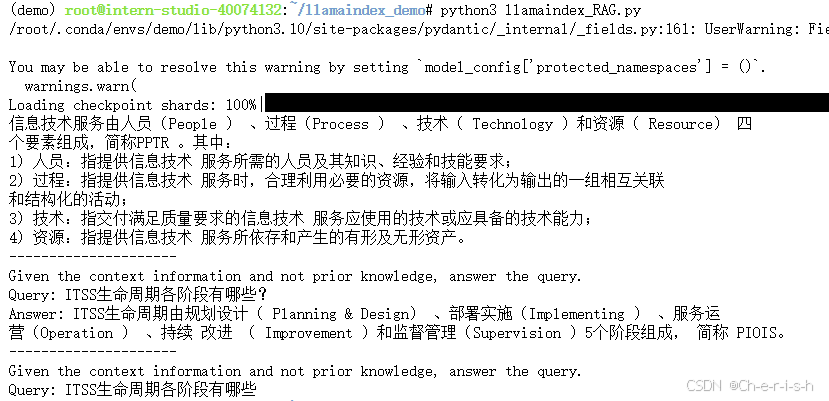
但是多了两个Query,不知道怎么回事^_^
2.3 获取参考文本片段
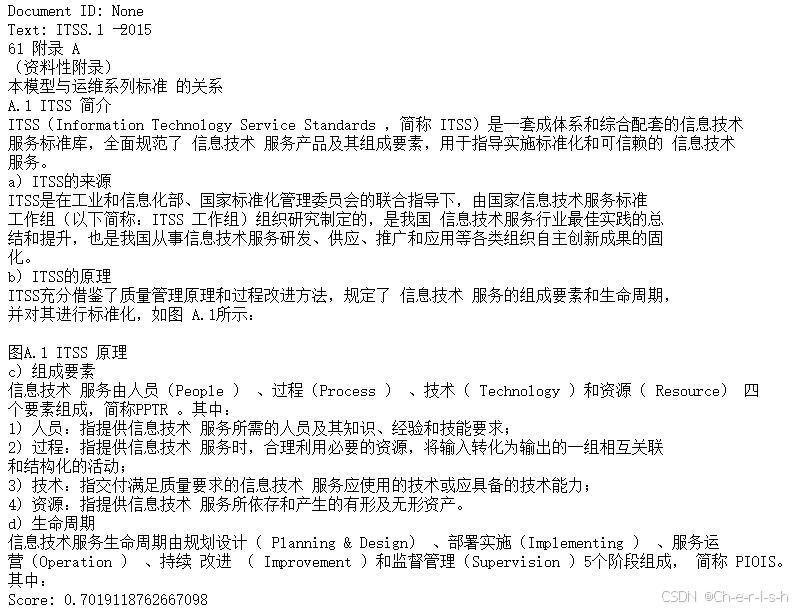
我们可以继续获取参考的文本片段:
# 获取引用的文档片段 for node_with_score in response.source_nodes: text_node = node_with_score.node # 假设文档ID存储在元数据中 doc_id = text_node.metadata.get('doc_id') # 或者 text_node.metadata.get('ref_doc_id') print(f"Document ID: {doc_id}") print(f"Text: {text_node.text}") print(f"Score: {node_with_score.score}\n")得到的最高相似度文本片段:
相关内容
热门资讯
裸辞做“一人公司”,我后悔了
去年这个时候,一位以色列程序员正在东南亚旅行。他顺手把一个在脑子里转了很久的想法做成了产品,一个让任...
南京建成国内首个Pre-6G试...
4月21日,2026全球6G技术与产业生态大会在南京开幕。全息互动技术展台前,一名远在北京的工作人员...
超梵求职受邀参加“2025抖音...
超梵求职受邀参加“2025抖音巨量引擎成人教育行业生态大会”,探讨分享优质内容传播,服务万千学员。 ...
摩托罗拉Razr 2026(R...
IT之家 4 月 22 日消息,摩托罗拉宣布新一代 Razr 折叠手机将于 4 月 29 日在美国发...
库克卸任,特纳斯领航:苹果新纪...
苹果首席执行官蒂姆·库克将卸任,硬件工程主管约翰·特纳斯将接任,苹果公司今天宣布此事。 库克将在夏季...