

documents4j 将word转pdf文件,本地(Windows)测试没问题,部署到服务器(centos)报错
创始人
2024-11-21 02:07:25
问题
报错如下: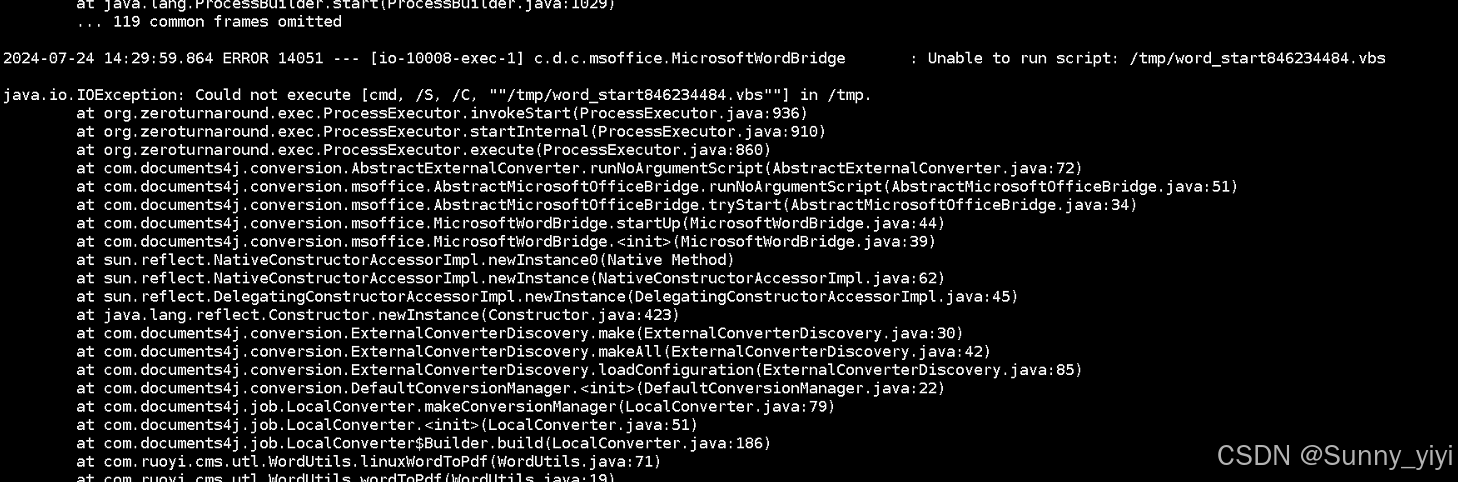
代码
首先要保证你的Java代码没问题,可以参考下面代码
maven依赖
com.documents4j documents4j-local 1.0.3 com.documents4j documents4j-transformer-msoffice-word 1.0.3 DocxToPdfUtil工具类
import com.documents4j.api.DocumentType; import com.documents4j.api.IConverter; import com.documents4j.job.LocalConverter; import java.io.File; import java.io.FileInputStream; import java.io.FileOutputStream; import java.io.IOException; import java.io.InputStream; import java.io.OutputStream; import lombok.extern.slf4j.Slf4j; @Slf4j public class DocxToPdfUtil { /** * 通过documents4j 实现word转pdf * * @param sourcePath 源文件地址 如 /root/example.doc */ public static File documents4jWordToPdf(String sourcePath) { return documents4jWordToPdf(new File(sourcePath)); } /** * 通过documents4j 实现word转pdf * * @param file 源文件 */ public static File documents4jWordToPdf(File file) { String os = System.getProperty("os.name").toLowerCase(); log.info("当前系统:{}", os); if (os.contains("win")) { // Windows操作系统 return winDocuments4jWordToPdf(file); } else if (os.contains("nix") || os.contains("nux") || os.contains("mac")) { // Unix/Linux/Mac操作系统 return linuxDocuments4jWordToPdf(file); } else { // 未知操作系统 throw new RuntimeException("不支持当前操作系统转换文档"); } } /** * 通过documents4j 实现word转pdf -- Windows 环境 需要有 Microsoft Office 服务 * * @param file 源文件 */ public static File winDocuments4jWordToPdf(File file) { String parentPath = file.getParent(); File outputFile = new File(parentPath + File.separator + file.getName().replaceAll("\\.(docx?|\\w+)$", "") + ".pdf"); try { // 这种方式在Linux服务器不可用,所以除非你是window服务器 InputStream docxInputStream = new FileInputStream(file); OutputStream outputStream = new FileOutputStream(outputFile); IConverter converter = LocalConverter.builder().build(); converter.convert(docxInputStream) .as(DocumentType.DOCX) .to(outputStream) .as(DocumentType.PDF).execute(); docxInputStream.close(); outputStream.close(); return outputFile; } catch (Exception e) { e.printStackTrace(); return null; } } /** * 通过documents4j 实现word转pdf -- linux 环境 需要有 libreoffice 服务 * * @param file 源文件 */ public static File linuxDocuments4jWordToPdf(File file) { // 获取文件的绝对路径和目录路径 String absolutePath = file.getAbsolutePath(); String parentPath = file.getParent(); // 构建LibreOffice的命令行工具命令 String commands = "libreoffice --convert-to pdf " + absolutePath + " --outdir " + parentPath; // 执行转换命令 try { boolean result = executeLinuxCmd(commands); if (result) { // 转换成功,返回转换后的PDF文件 String pdfFilePath = parentPath + File.separator + file.getName().replaceAll("\\.(docx?|\\w+)$", "") + ".pdf"; log.info(pdfFilePath); log.info(pdfFilePath); return new File(pdfFilePath); } else { return null; } } catch (Exception e) { // 转换失败 log.error("Word文档转换为PDF失败,原因:执行命令时出现异常。", e); return null; } } /** * 执行命令行 * * @param cmd 命令行 * @return * @throws IOException */ private static boolean executeLinuxCmd(String cmd) throws IOException { // 执行命令行工具命令 Process process = Runtime.getRuntime().exec(cmd); try { process.waitFor(); } catch (InterruptedException e) { log.error("执行 Linux 命令异常:", e); return false; } return true; } } 测试
@SpringBootApplication public class PdfdemoApplication { public static void main(String[] args) { //Linux服务器 String inputFile = "/usr/local/a.docx"; //本地 // String inputFile = "C:\\zhushanglin\\test\\a.docx"; DocxToPdfUtil.documents4jWordToPdf(inputFile); System.out.println("Done! Pdf "); SpringApplication.run(PdfdemoApplication.class, args); } } 发现本地win没问题,到服务器Linux就有问题,原因是 documents4j 利用 Microsft Office 的 APIs 来进行文档转换,因此需要在Linux上安装 OpenOffice/LibreOffice 编辑器
Ubuntu:
sudo apt-get install libreoffice CentOS:
sudo yum install libreoffice 把这装上后,再测试,发现可以完美转换。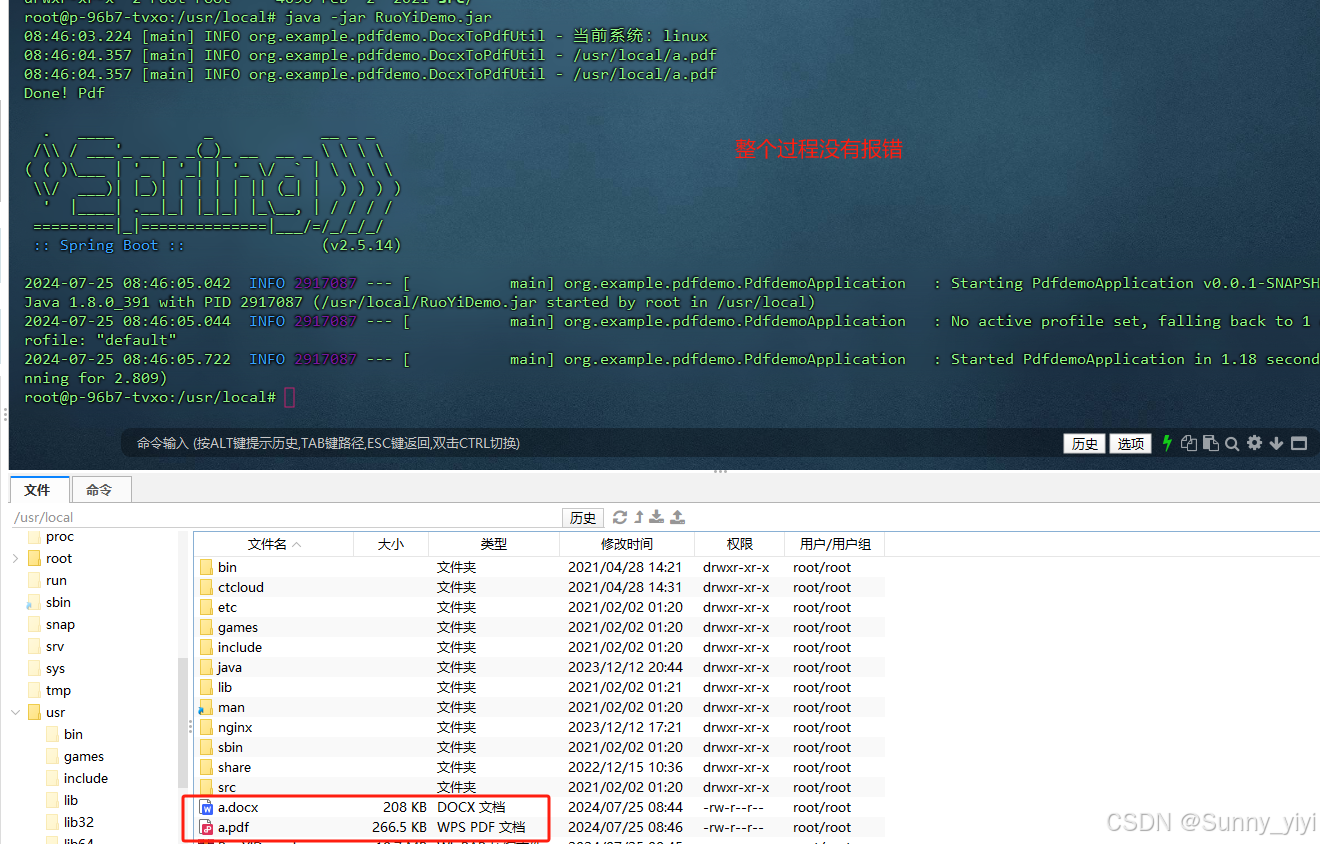
下课!
相关内容
热门资讯
三星造工厂机器人、Meta做家...
据韩国中央日报5月7号报道,全球人工智能竞争正加速向物理AI领域延伸,人形机器人成为产业霸权新焦点。...
超22万颗GPU!SpaceX...
来源:环球网 【环球网科技综合报道】5月7日消息,据《福布斯》报道,美国太空探索技术公司(Spac...
在上海,共绘数据国际合作新蓝图
人民网记者 马作鹏 人工智能高质量发展,离不开算力、算法、数据的协同创新。 国外企业如何参与和融入中...
宇树科技开放全球首个人形机器人...
【CNMO科技消息】5月7日,宇树科技宣布,旗下人形机器人官方共享应用平台UniStore正式全面开...
OpenAI公开大规模稳定训练...
克雷西 发自 凹非寺 量子位 | 公众号 QbitAI OpenAI,这次又真·Open了一下。 刚...