

day03
一、安装Python3
1.下载安装包
在官网下载安装包拖拽到虚拟机中
2.解压
[root@localhost ~]# tar -zxvf Python-3.12.4.tgz
3.在解压后的目录中找到configure可执行文件
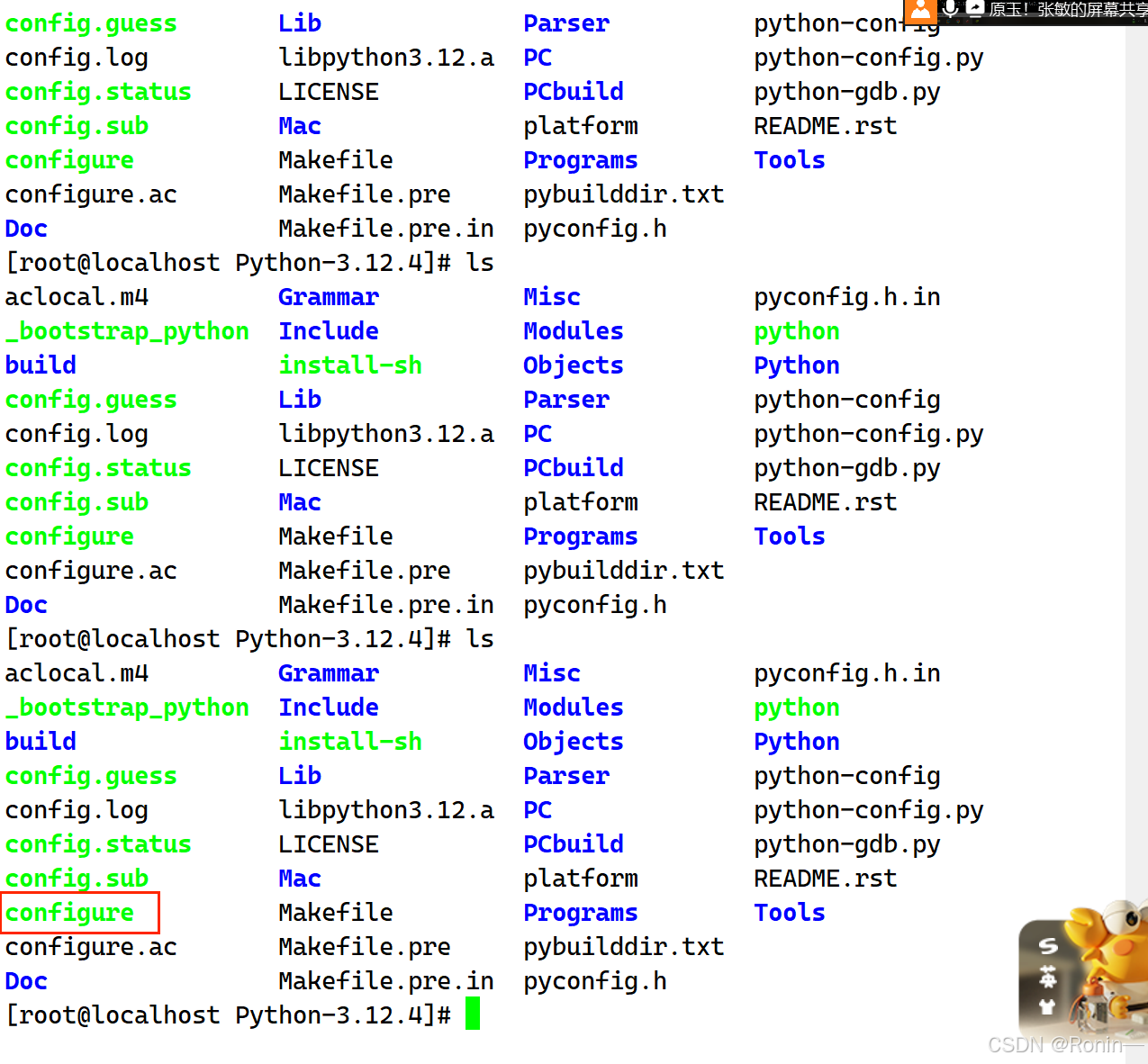
4.配置安装路径
[root@localhost Python-3.12.4]# ./config -prefix=/usr/local/python3124 --with-http_ssl_module
5.进入到目录中,运行make,编译源码make
[root@localhost Python-3.12.4]# cd Python-3.12.4/
[root@localhost Python-3.12.4]# make
6.安装make install
[root@localhost Python-3.12.4]# make install
二、网络管理
1.查看所有活动的网络接口信息
2.查看指定网络接口信息
3.ifconfig设置网络接口参数
4.设置网络接口的IP地址,子网掩码
5.禁用或者重新激活网卡
ifconfig ens36 down //禁用网卡
ifconfig ens36 up //激活网卡
6.hostname 查看主机名称
在vim/etc/host 永久修改主机名称
查看本主机IP
7.测试网络连接
ping——测试网络连接
traceroute——跟踪数据包
nslookup——域名解析
三、安装和运行redis,并且会简单的增删改查
1. 拖拽Redis压缩包致xshell
2.解压
[root@localhost ~]# tar -zxvf redis-5.0.4.tar
3.进入到目录,编译安装
[root@localhost ~]# cd redis-5.0.4/
[root@localhost redis-5.0.4]# make
4.修改redis配置文件
[root@localhost redis-5.0.4]# vim redis.conf
四、安装mongodb,并且会简单的增删改查
1.打开虚拟机,在虚拟机上安装文件传输工具lrzsz,将下载好的.tgz包拖到虚拟机当中/usr/local/mongodb目录下
[root@server ~]# yum install -y lrzsz
[root@server ~]# cd /usr/local/
[root@server local]# mkdir mongoDB
[root@server local]# cd mongoDB/
[root@server mongoDB]# rz -E
rz waiting to receive.
[root@server mongoDB]# ll
total 102556
-rw-r--r--. 1 root root 105017141 Apr 24 14:35 mongodb-linux-x86_64-rhel80-4.0.28.tgz
2.解压
[root@server mongoDB]# tar -xvf mongodb-linux-x86_64-rhel80-4.0.28.tgz
mongodb-linux-x86_64-rhel80-4.0.28/THIRD-PARTY-NOTICES.gotools
mongodb-linux-x86_64-rhel80-4.0.28/README
mongodb-linux-x86_64-rhel80-4.0.28/THIRD-PARTY-NOTICES
mongodb-linux-x86_64-rhel80-4.0.28/MPL-2
mongodb-linux-x86_64-rhel80-4.0.28/LICENSE-Community.txt
mongodb-linux-x86_64-rhel80-4.0.28/bin/mongodump
mongodb-linux-x86_64-rhel80-4.0.28/bin/mongorestore
mongodb-linux-x86_64-rhel80-4.0.28/bin/mongoexport
mongodb-linux-x86_64-rhel80-4.0.28/bin/mongoimport
mongodb-linux-x86_64-rhel80-4.0.28/bin/mongostat
mongodb-linux-x86_64-rhel80-4.0.28/bin/mongotop
mongodb-linux-x86_64-rhel80-4.0.28/bin/bsondump
mongodb-linux-x86_64-rhel80-4.0.28/bin/mongofiles
mongodb-linux-x86_64-rhel80-4.0.28/bin/mongoreplay
mongodb-linux-x86_64-rhel80-4.0.28/bin/mongod
mongodb-linux-x86_64-rhel80-4.0.28/bin/mongos
mongodb-linux-x86_64-rhel80-4.0.28/bin/mongo
mongodb-linux-x86_64-rhel80-4.0.28/bin/install_compass
[root@server mongoDB]# ll
total 102556
drwxr-xr-x. 3 root root 135 Apr 24 14:43 mongodb-linux-x86_64-rhel80-4.0.28
-rw-r--r--. 1 root root 105017141 Apr 24 14:35 mongodb-linux-x86_64-rhel80-4.0.28.tgz
3.将mongodb-linux-x86_64-rhel80-4.0.28传入到mondodbserver下
[root@server mongoDB]# mv mongodb-linux-x86_64-rhel80-4.0.28 mongodbserver
[root@server mongoDB]# ll
total 102556
-rw-r--r--. 1 root root 105017141 Apr 24 14:35 mongodb-linux-x86_64-rhel80-4.0.28.tgz
drwxr-xr-x. 3 root root 135 Apr 24 14:43 mongodbserver
[root@server mongoDB]# cd mongodbserver/
4.创建使用数据库时数据的存放路径和日志
root@server mongodbserver]# mkdir data
[root@server mongodbserver]# mkdir log
[root@server mongodbserver]# mkdir etc
[root@server mongodbserver]# mkdir conf
5.进入到/etc目录下,编辑mongodb.conf配置文件
[root@server mongodbserver]# cd etc
[root@server etc]# vim mongodb.conf
dbpath=/usr/local/mongoDB/mongodbserver/data
logpath=/usr/local/mongoDB/mongodbserver/log/mongodb.log
bind_ip=0.0.0.0
port=27017
fork=true
journal=false
storageEngine=mmapv1
上一篇:裸服务器上语音AI部署指南